Search Here To Find Out Anything Shortcut
Showing posts with label SOFTWARE. Show all posts

Thursday, July 30, 2009

Simpo PDF Creator Software

0 comments
Simpo PDF Creator works as a virtual printer in Word, Excel, PowerPoint or any other Windows application. It is a powerful PDF writer, which could help you easily create PDFs from any programs that are able to print.

With this PDF creator, you can convert Word to PDF, Excel to PDF, PPT to PDF, Image to PDF, and any other printable documents to PDF. Besides, you can set a password to protect your PDF documents security.


Features:

Install as a virtual printer
Support Microsoft Office any version
Create PDF from any printable documents
Secure PDF documents with 128bit encryption.
Tuesday, July 7, 2009

Convert Image To Windows Icon

0 comments
Icon Commander converts images of any format into Windows icons. You can find many images on the Internet and convert them to icons for use on your desktop, in applications and much more. Icon Commander have rich collection of icon styles.

With IconCommander you can create Windows Icon with a single action. It supports Windows Vista 256×256 icons with alpha channel.

Thursday, June 18, 2009

Temporary And Unused Files Remover

0 comments
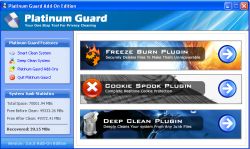
Platinum Guard is a software that helps to remove temporary and unused files from the PC, allowing it to perform and run faster.

You can erase information stored as history by any browser (Internet Explorer, Firefox, Opera, Google Chrome) or other software products with just one click, increasing your security!


Featured Benefits:

* Improve your computer’s performance by getting rid of junk and temporary files that clog the system.
* Re-acquire the valuable free hard disk space that otherwise would have been occupied by junk and temporary files.
* Completely clear your tracks to render invisible your recent activity on your personal computer.
* Compatible with all the latest popular web browsers which include Internet Explorer, Firefox, Opera and Google Chrome.


Tuesday, June 16, 2009

Internet Explorer 8[IE8]

0 comments
Windows Internet Explorer 8 (IE8) is the latest web browser developed by Microsoft in the long running Internet Explorer browser series. The browser was released on March 19, 2009 for Windows XP, Windows Server 2003, Windows Vista and Windows Server 2008.Both 32-bit and 64-bit builds are available. It is the successor to Internet Explorer 7, released in 2006, and is the default browser for the upcoming Windows 7 and Windows Server 2008 R2 operating systems except in Europe.

According to Microsoft, security, ease of use, and improvements in RSS, Cascading Style Sheets, and Ajax support were its priorities for Internet Explorer 8.

Visit Following Website To Know More

Wednesday, June 3, 2009

GetGo Download Manager

0 comments
GetGo Download Manager

Get what you want fast and easy with GetGo Download Manager, the free online video (YouTube etc.), music and file download manager, accelerator. This free downloader is an essential tool for increasing download speed, resuming, scheduling, and organizing downloads. Easy to use, customizable modern interface allows you to download all of your favorite videos, program, games, and music up to 500% faster than regular web browsers. With auto-resuming feature, you never have to waste your frustrations on unfinished downloads due to network problems, or unexpected power outages.
Seamless integration with Internet Explorer, Firefox, and Mozilla web browsers allows easy "one-click" YouTube video downloading as well as other file types according to the extension. Powerful batch and leech download features give you ability to download large amount of pictures, videos or other files from web sites fast and easy. GetGo Download Manager fully supports Windows Vista User Access Control (UAC) and Internet Explorer 7 Protected Mode. GetGo has no banners, no spyware, no pop-up ads, and completely free.

DOWNLOAD

Thursday, April 30, 2009

Microsoft preps Windows 7 release

0 comments


By Darren Waters
Technology editor, BBC News website
A release candidate of Windows 7, the next major release of the world's most popular operating system, goes public in trial form in the next week. Microsoft is hoping it can avoid the negative press that surrounded the launch of Vista, the last major Windows release, almost three years ago. Windows 7 has been designed to be compatible with Vista so users do not have to invest in new hardware.

A commercial release of Windows 7 is expected in the next nine months. A test version of Windows 7 will be available to developers from Thursday, while the public can try it out from 5 May. John Curran, Microsoft UK's director, Windows Client Group, told BBC News that "shortfalls" in the Vista release had caused problems for some users. "There were challenges on hardware and application compatibility with Vista in the first couple of months - and that has left a little bit of an aftertaste for a segment of people."

When Vista was launched many users expressed frustration that the operating system did not work with all types of existing hardware and peripherals, or programs used commonly on PCs. And a Vista compatibility programme for hardware proved to be confusing and, in some cases, somewhat misleading. Mr Curran said Microsoft had "learned lessons" and had been working with partner developers to ensure the same mistakes would not be repeated.

Windows 7 will also have "comparable system requirements" to Vista, which should mean that if your PC is capable of running Vista it will also run the new version. Negative Mr Curran said Vista had proved to be a success for Microsoft, despite the negative press that surrounds the operating system. "Vista is the fastest selling operating system of all time and, in percentage terms, enterprise moved to Vista faster than it did to XP [an earlier version of Windows]," he said. He said satisfaction surveys for Vista showed 90% of people were either satisfied or very satisfied and 85-90% would recommend it to a friend. Microsoft embarked on a major advertising and marketing mission to improve the image of Vista after the muted reaction around its "The Wow starts now" campaign.
While Vista was released five months after the release candidate was made available, Mr Curran said Windows 7 would only be released when it is ready. Bottom line "Obviously in these times everybody is keeping an eye on the bottom line, but we are certainly taking a longer-term perspective here and always have done with Windows franchise. "The timeline stated all along is that we are targeting Windows 7 within three years of of the launch of Vista and that would be the end of January 2010. "We feel quite confident we are on trajectory that will deliver on that promise. But the exact timing will be based on quality." Windows 7 promises a major usability improvement on Vista, and a simplification of security measures which caused frustration for many users.

Mr Curran said Windows 7 would build on the security improvements in Vista, which have seen a fall in the number of malware attacks and critical vulnerabilities identified. Many beta testers of Windows 7 have reported that it is faster than Vista, especially in terms of start-up and shutdown sequence of the computer.
Mr Curran said that the Microsoft Windows team had been poring over every aspect of the operating system to make improvements. "We were able to shave 400 milliseconds off the shutdown time by slightly trimming the WAV file shutdown music.

"It's indicative of really the level and detail and scrutiny on Windows 7." A version of Windows 7 will also be available for netbooks, but with some caveats. The Windows 7 Starter Edition will have limitations on how many applications can be used concurrently on a machine in order to preserve performance.

Saturday, April 18, 2009

COPY TEXT FROM IMAGE

0 comments

How To Copy Text From Image : TechGuru

How many times you have felt the need to copy text from images ? I am sure wont be less then ten times. Most of the time, when we require the Text part from images we just start typing the whole Text part by referring to the image. This seems to be only option we have.

But guess what if its whole scanned document do you think of typing whole document as viable solution? if not then here good freeware application JOCR which enables you to capture the image on the screen and convert the captured image to text.

JOCR is useful tool to revive the protected files whose text can not be copied. JOCR enables you to copy text from any files and images on the screen such as protected Web pages, PDF files, error messages. The program offers several capture modes. JOCR requires Microsoft Office 2003 or higher version. If JCOR does not work, please manually install “Microsoft Office Document Imaging” (MODI) that is included in the setup file of Microsoft Office. You can find MODI under “Office Tools” of the setup file.


DOWNLOAD

Friday, April 17, 2009

Photoshop Tutorial On Potrait Drawing

0 comments

Techguru

Here is a new tutorial for all the drawing lovers. In this tutorial, we will make a quick sketch, scan the sketch, and convert it into Photoshop. Then the fun will begin. Drawing a portrait is not very simple, but with some knowledge you can achieve a lot. The end result may not look exactly like the person you are trying to draw, but the important thing is to do the best you can and make the eyes, mouth, or nose look similar to your subject.


I think You are now familiar with Brushes,Layers and so the details aren’t covered here.


Information of life Auto Insurance Donation and Attorney Copyright © 2008